Local Studio has learned two new tricks: it makes sound, and it makes 3D. Both run on your own graphics card like everything else in the app. Nothing is uploaded, nothing is billed per try.
An Audio studio inside the app
The new Audio page sits in the left bar and makes three things: music, sound effects and voices.
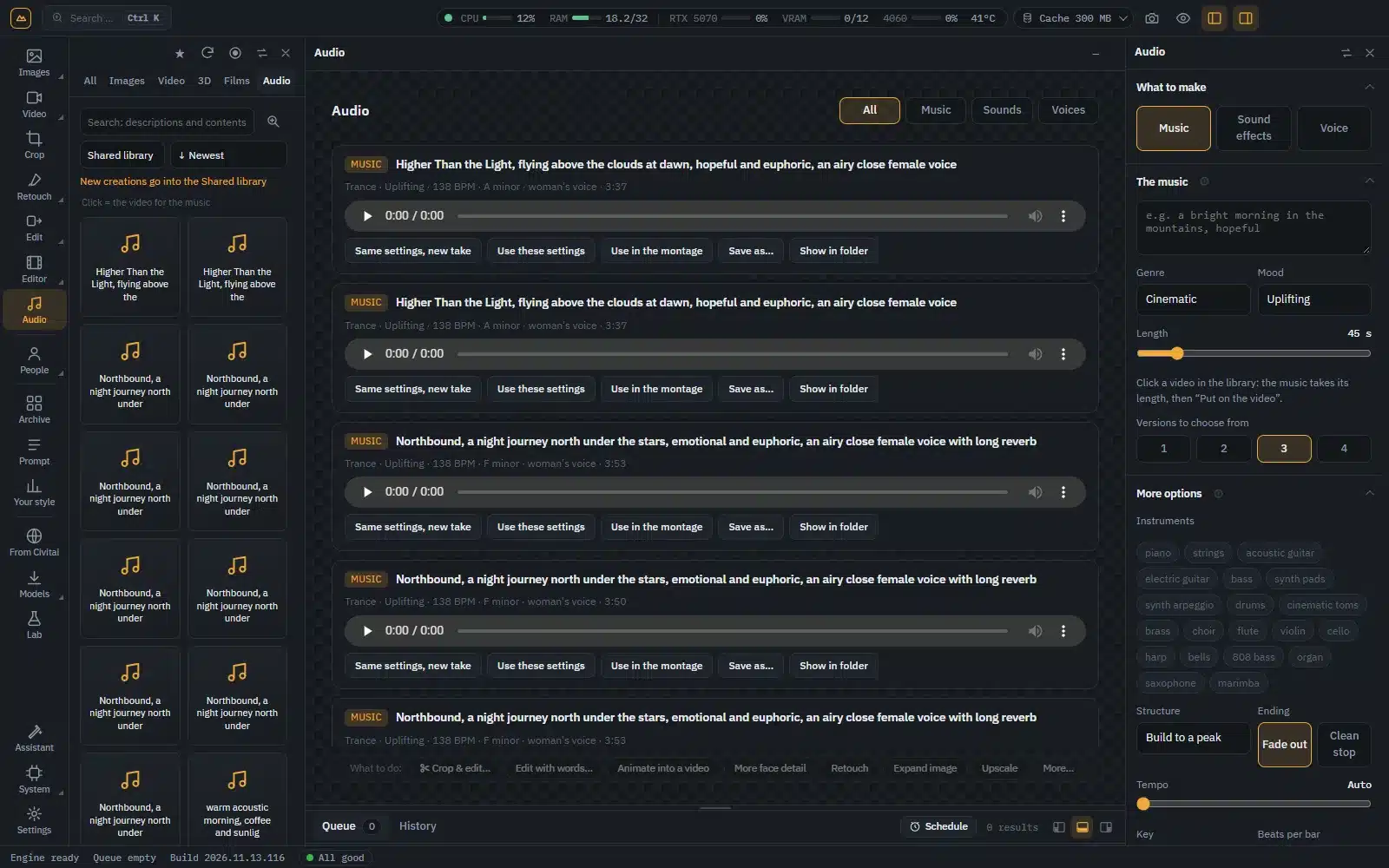
Music. Describe it in a few words, like “a bright morning in the mountains”, pick a genre, a mood and the length, and press Create the music. You get several versions to choose from: listen and keep the one you like. Open More options to choose the instruments, the structure, a fading or a clean ending, the tempo and the key, or to add a singer (a woman, a man or a choir) with your own lyrics. The music model is an optional download: the first time you ask for music, Local Studio tells you what it needs and fetches it for you.
Sound effects. Rain on a tin roof, a busy market, footsteps in a corridor: describe the sound, pick how long it should last, and choose between a few versions.
Voices. Write a sentence and pick one of 29 English and Italian voices. It is ready in a moment.
From there, sound goes straight into your videos. Click a clip in your library and press Put on the video: the music is cut to the clip’s length, fades out at the end and sits under the clip’s own sound, saved as a new video while the original stays untouched. A track can also become the music of the Montage, and the library has a new Audio tab, so your sounds go into collections next to your pictures and videos.
Your creations in 3D, on a VR headset
Right-click any picture or video you made and choose 3D for VR headsets…. Local Studio builds a 3D copy you can watch with real depth: side by side for Meta Quest and the popular VR players, top and bottom, or red and cyan for classic 3D glasses. The 3D tools are a small optional download, fetched the first time you use them.
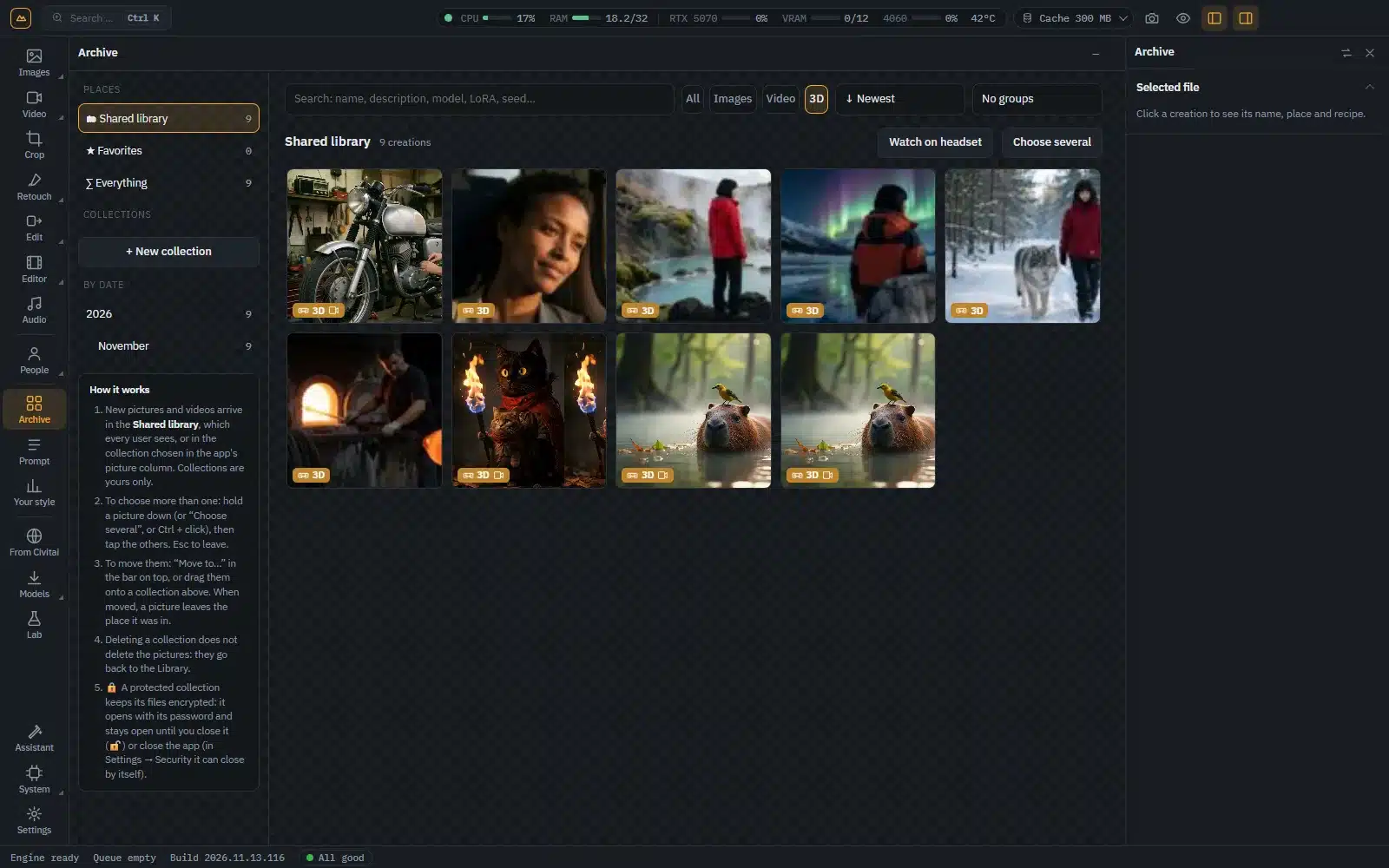
The 3D copies get their own 3D tab in the library. Press Watch on headset, open the page in your Meta Quest’s browser and they play right there, with a control panel inside VR to move to the previous or next video. No cables, no copying files around: your PC streams them to the headset over your home network.
How to get it
If you already have Local Studio, the update is waiting for you: open Settings, go to Local Studio updates and press Check now. If you don’t have it yet, you can buy it right here on the Local Studio page: you pay once and get your serial and download link straight away. It needs Windows and an NVIDIA graphics card, and it is meant for adults (18+).
No cloud. No limits.